FormBlessed guide
Chrome autofill vs. a document-based form filler
Use Chrome’s built-in autofill when a form needs information you have already saved, such as your contact details. A document-based form filler helps when the answers are in a particular document or spreadsheet and need to be matched to the website’s questions. Either way, check the filled page before submitting.
Start with where the answer lives
A delivery form asking for your usual name and address is a good place to start with built-in autofill. You may not need another extension. Chrome can suggest saved information; available information types and features vary by region and settings.
A supplier form asking for facts from a workbook is a different task. FormBlessed can interpret selected sources, match relevant facts to supported fields and provide source references for review. This is useful when the information changes with the document rather than coming from one saved contact profile.
| Your task | A practical starting point |
|---|---|
| Enter familiar contact details | Try Chrome’s saved-information autofill. |
| Transfer facts from a selected document or workbook | Consider a document-based filler, then verify each result. |
| Answer a question whose answer is missing | Confirm the fact yourself; neither approach makes it known. |
Try saved-information autofill first
Chrome’s newer autofill features can handle more saved information than contact details alone. The useful distinction here is saved information versus interpreting the specific source files you choose, rather than a claim that Chrome fills only addresses.
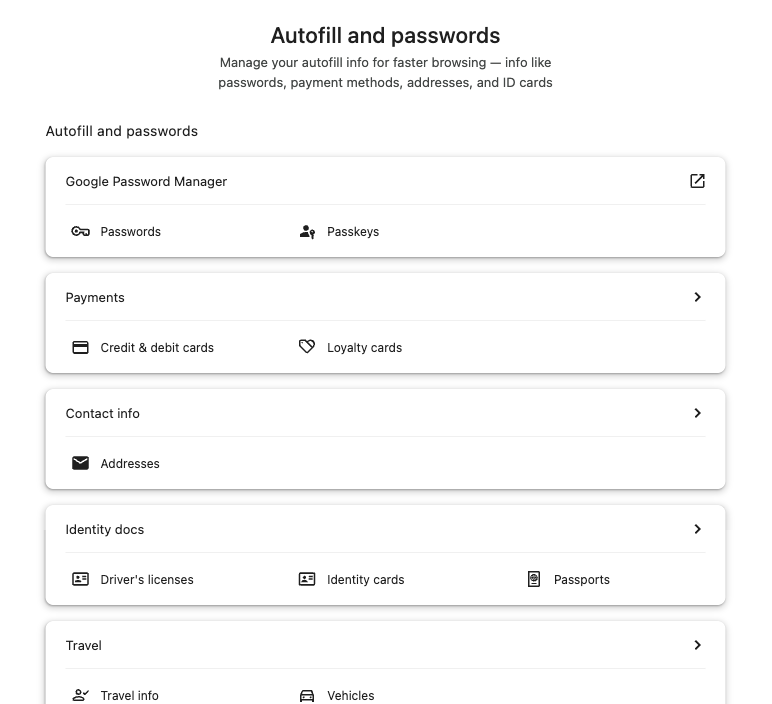
Generic Chrome controls, captured while signed out. No account or saved values are shown. On phones, the image focuses on Contact info → Addresses.
Open full-size image- Check your saved details.
In Chrome, open Passwords and autofill and review the relevant contact information. Menu names can vary by version.
- Choose the correct suggestion.
Select an appropriate field on the website and use the matching saved information when Chrome offers it.
- Review the filled form.
Check the recipient, address and any website-specific fields. A suggestion may be missing or may not fit the question.
When document-backed filling helps
Suppose a fictional supplier workbook contains a company name, an order reference and delivery instructions on separate sheets. A document-based filler can look for those facts across the selected material. You still need to confirm that each answer belongs to the right order and answers the website’s actual question.
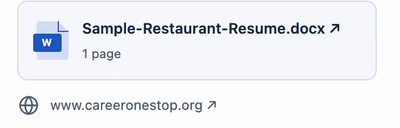
Actual v0.1.7 recording, October 23, 2026: a fictional résumé and a practice website. This example reuses earlier analysis; it is not an Excel import. No account balance is included.
Open full-size imageWith FormBlessed, choose supported files, select the relevant worksheets when using a spreadsheet, connect the intended website form and approve processing. Check the visible results and available source references before saving. Read the Excel guide for a closer look at preparing a workbook.
What you still need to check
The archived clip below shows filled fields and review warnings from a fictional résumé example. It illustrates why review matters; it is not a comparison test, a source-review walkthrough or a complete successful submission.
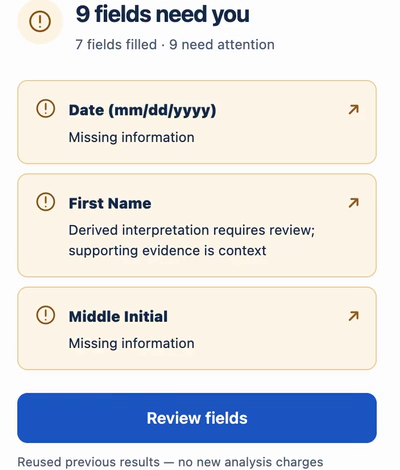
Actual v0.1.7 recording: missing facts and a derived interpretation still need review. The visible footer identifies reused results. Source inspection and submission are not shown.
Open full-size image- Does the value answer this question, for the right person, company or record?
- Does the website retain the value after it is filled? Some controls need manual input.
- Is information missing, contradictory or out of date? Verify it instead of guessing.
- Are you ready to save or submit? Review the destination and the website’s confirmation.
Accounts, processing and limits
FormBlessed requires a connected CopyCat account and processing credits for extraction and AI matching. Check the balance and processing budget before starting. This guide makes no price or trial offer.
Selected source content, instructions and relevant form context are sent to the hosted service and its document/AI processors for requested work. Read the privacy notice before importing confidential information.
FormBlessed does not guarantee support for every website or control. Missing facts and protected choices can need manual handling. It is not a password manager or a promise of unattended bulk submissions.
A review example, from the archive
Common questions
Do I need a Chrome form filler extension for my address?
Often, no. If Chrome already has the correct details and recognizes the fields, its built-in autofill may be sufficient. Review its suggestions before submitting.
Does AI filling make answers automatically correct?
No. Matching can be wrong, and a source can be incomplete or outdated. Compare the filled value with the source and the question.
Can FormBlessed fill every site?
No. Website and control compatibility vary. Some fields, protected steps and missing information need manual input.
See whether FormBlessed fits your form
Review supported sources, account requirements and privacy information before you choose to install. Compatibility varies by website.
Explore FormBlessedRead the FormBlessed privacy notice