CopyCat guide
How to generate a standard operating procedure from a recorded process
Use CopyCat to record a process, create a tutorial from the saved workflow, and export a document. Then add the ownership, checks and exception rules that make it an SOP. CopyCat supplies a starting point for the procedure; the process owner must confirm it is accurate and complete.
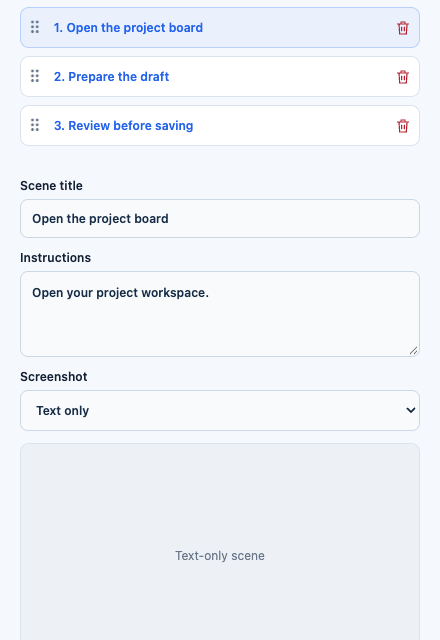
CopyCat for Chrome 0.1.2 preview with fictional demo steps. This existing capture shows a text-only scene, not an AI-generated SOP or a new recording.
Open full-size image1. Define the process before recording
Choose one repeatable task. For a simple example, document how to prepare a project kickoff draft for review. State the beginning and end: start with the project workspace open; finish when the name and priority have been checked, before submission.
Use sample data such as “Website refresh” and “Normal.” Keep account details, private records and other people's information outside the capture. A useful SOP explains how to perform the process without embedding a real customer's data.
2. Record the normal path
In CopyCat for Chrome, choose Record, name the workflow and select Start recording. Perform the process at a readable pace, then stop and let analysis complete. Review the saved instructions and answer required questions before creating the tutorial.
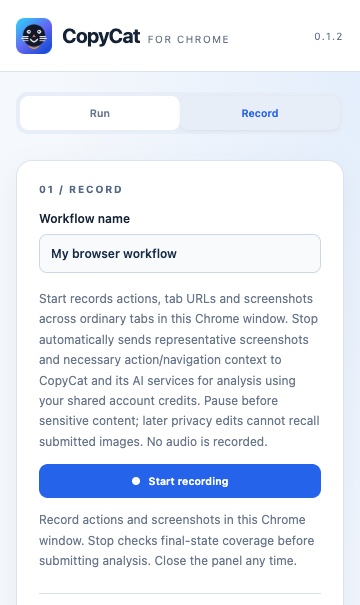
Existing Chrome product preview. Recording captures the demonstration; analysis turns it into a workflow to review.
Open full-size imageDescribe decisions that the screen cannot explain. “Select Normal” is less reusable than “Select the priority supplied by the requester; ask if it is missing.” Record a clean normal path first, then document exceptions explicitly.
3. Create the tutorial and review every step
From the reviewed Chrome workflow, choose Create tutorial. CopyCat creates a saved tutorial draft and queues AI tutorial writing. Wait for that work to finish, then check its title, prerequisites, scene titles and instructions. AI writing can need correction; do not treat a complete status as process approval.
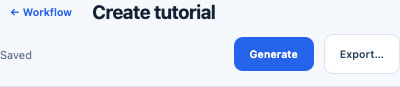
Existing Chrome preview toolbar. Generate is a separate video action; document choices are under Export….
Open full-size imageGive each step one clear action and a checkable result. In the Chrome editor, choose a Screenshot for each visual step. Inspect it against the instructions: the correct screen and state matter more than simply having an image. Crop or redact irrelevant content and inspect the final document for any remaining private information. Use Text only for a rule that needs no image.
On desktop, the tutorial workspace has Steps, Video and How-to guide views. Review the steps and resolve missing screenshots or content warnings before creating a guide. Interface labels differ from Chrome; follow the controls in your version.
4. Add the information a recording cannot supply
A click sequence is only part of an SOP. Add the process owner, when to use it, prerequisites, exception handling, a completion check and a review date. These can be added to the exported Word document if they do not fit the tutorial fields.
For this fictional example, a compact SOP might read:
Process: Prepare a project kickoff draft. Owner: Project coordinator. Trigger: An approved project request is ready for setup. Prerequisites: Workspace access, project name and priority. Procedure: Open the project board; enter the supplied name and priority; compare the displayed draft with the request. Completion check: Both fields match and the draft is ready for review. Exception: If either input is missing, ask the requester and pause. Boundary: Do not submit the project. Review: After a workspace change, or at the team's agreed review date.
This is an authored sample for the article, not an exported or approved CopyCat document. Replace the role and rules with your team's actual process.
5. Export a document, then check it
In Chrome, use Export… → PDF, DOCX or PPTX. For desktop, open How-to guide, name the guide and use Create guide → PDF, Word or PowerPoint. Choose Word when the owner needs to add SOP fields or make revisions; PDF is useful for a reviewed reading copy.
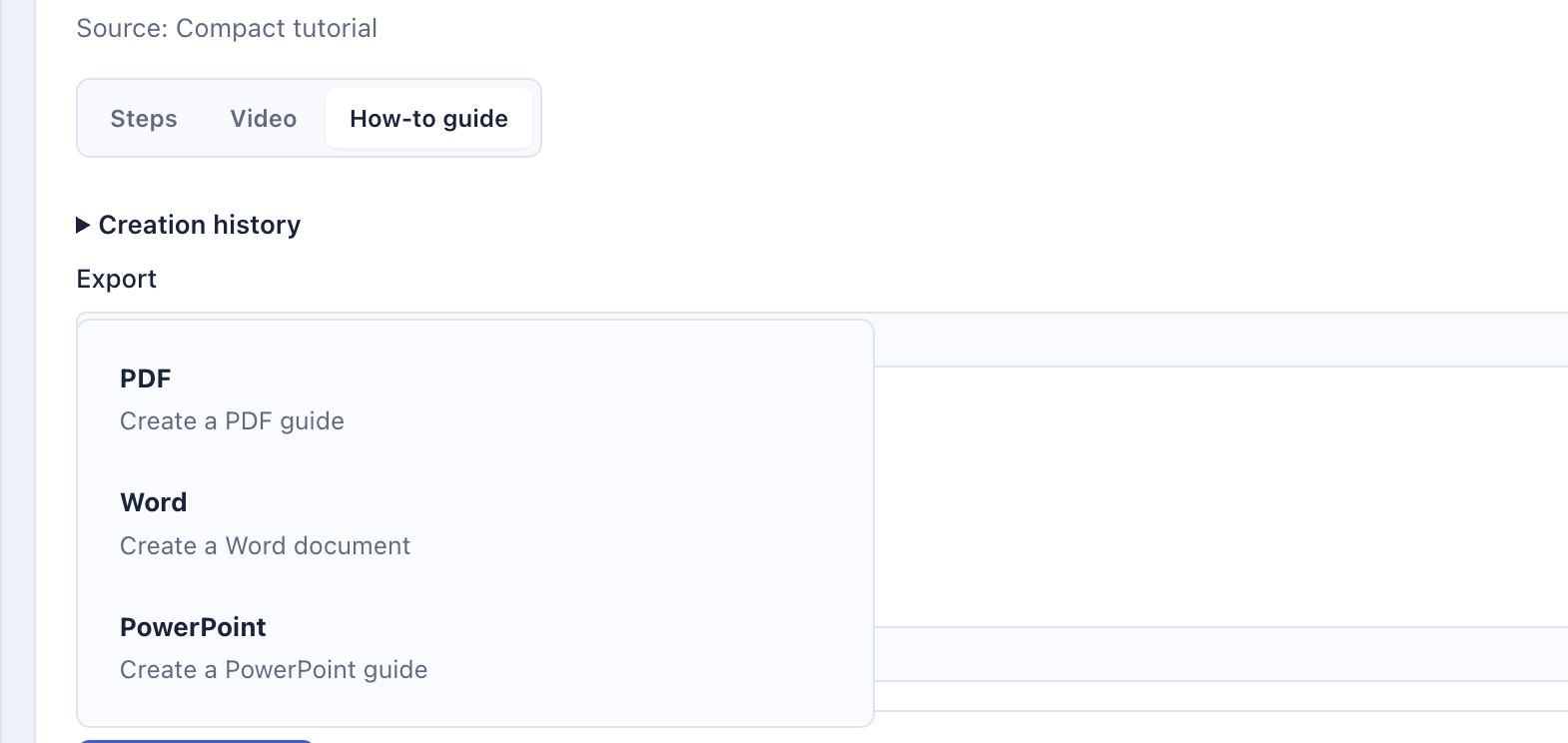
Cropped existing desktop fixture capture showing PDF, Word and PowerPoint. This historical layout illustrates the format choices; current source uses the Create guide menu.
Open full-size imageOpen the exported file. Check page breaks, image legibility, step order, prerequisites and exceptions. Ask someone unfamiliar with the process to follow it using sample data. Update any step that relies on unstated knowledge, then have the process owner approve the SOP before distribution.
What this approach can and cannot establish
Both local source trees implement tutorial document exports. The SOP structure above is editorial guidance; we found no separate dedicated “SOP” export mode. A recorded normal path cannot establish every exception or organizational policy, and screenshot selection still needs review.
AI tutorial writing and optional narration are separate from document export. No paid generation, new recording, export run or process execution was performed for this article. The images show existing product previews with demonstration data, rather than a newly generated finished SOP.
Explore CopyCat’s recording and export tools
Review the desktop and Chrome options, privacy information, and account and credit requirements before recording or generating content. Exporting instructions or a document does not establish that a workflow has been tested.
Explore CopyCatRead CopyCat privacy information